Pro Players’ Choice | Dev1ce’s Settings
Do you want to play like one of the greatest players in CS history?
Nicolai "dev1ce" Reedtz dominated AWP for years with Astralis with his carefully mastered skills, winning major S-tier championships and 19 MVP awards at some of the most prestigious tournaments.
His settings are battle-tested at the highest level of competition, and this guide gives you his exact CS2 configurations to optimize your settings.
Although this will help you optimize your setup, it is not guaranteed to be perfect for you. Experiment with different options and fine-tune your setup to match your playstyle, comfort, and mechanics.
Hardware and Equipment

- Keyboard - Wooting 60HE v2 Silver
- Earphones - KZ ZS10 Pro
- GPU - NVIDIA GeForce RTX 4090
- CPU - Intel Core I9-13900KF
Both hardware and equipment are vital for a great gaming experience, and dev1ce uses some of the best gear available. With a high-resolution monitor, a comfortable mouse and keyboard, and a top-tier headset, half of the job of optimizing your gameplay is already done.

- Monitor - Zowie XL2566X+
- Mouse - Logitech G Pro X2 SUPERSTRIKE
- Headset - Razer BlackShark V3 Pro Black
- Mousepad - ZOWIE G-TR
In a game like CS2, where every millisecond counts, top-tier hardware makes a real difference. The RTX 4090 and Intel Core i9-13900KF ensure consistently high FPS and low input latency – even during intense smoke or molotov fights.
In-Game Settings
In-Game Settings are probably the most important part of the setup, ensuring smooth gameplay. Dev1ce himself shows how he sets up the PC for himself in this video, and here is everything you need.
Mouse and Keyboard Settings

Mouse settings – such as DPI, sensitivity, and polling rate – are critical for precision and consistency in CS2. Pro players like dev1ce fine-tune these settings to match their muscle memory, allowing for smooth tracking and quick flicks. A well-optimized mouse setup ensures better control, which directly impacts your aim and reaction time.
Additional Commands
- “Bind mwheeldown +jump” – Jump when scrolling down
- “Bind mwheelup +jump” – Jump when scrolling up.
- Launch Options – “-console -novid exec myconfig.cfg”
Additional Binds for the Keyboard
Binds for the keyboard allow you to quickly switch between weapons and utility, winning you a few seconds. In a lot of cases, these several seconds prove to be fatal for defeating the enemy.
Crosshair & Viewmodel – Fine-Tuned For AWP and Rifle Precision

Crosshair Code - CSGO-fzmL9-rmYQ3-m8COt-NcMjt-yJv4N
A right crosshair is essential for the aim. If you choose a color that blends in with the surroundings, you might get lost when trying to point at the enemy. Likewise, if the crosshair is too big, your shots might not reach its destination, and the small one might get lost on your screen.
Dev1ce, on the other hand, uses a crosshair that is normal in size and is in a convenient color, ensuring the effectiveness of his aim.
Video Settings – Optimized for Visibility and Frame Rate
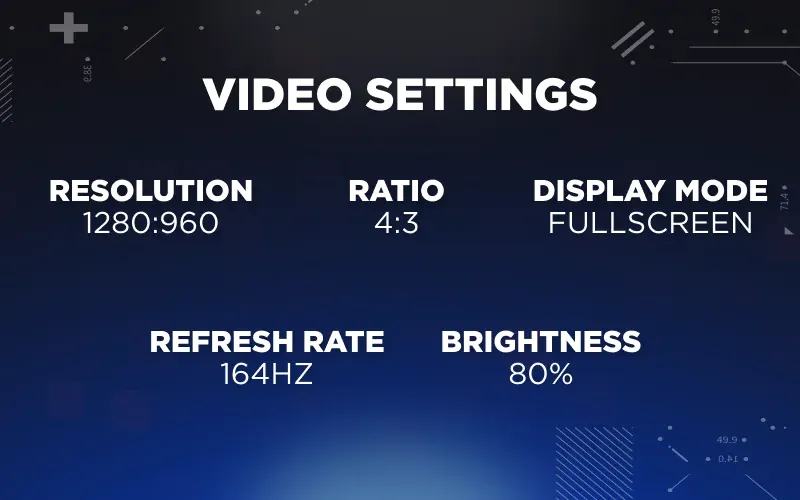
- Resolution: 1280x960
- Aspect Ratio: 4:3
- Display Mode: Fullscreen
- Refresh Rate: 164Hz
- Brightness: 80% (On dev1ce’s settings/ monitor)
Many people choose the 4:3 ratio on video settings as it makes the in-game characters appear slightly wider, which is a huge advantage for AWPers. However, this cuts the edges, limiting the side visibility. When choosing the correct ratio, consider these things.
Advanced Video

The advanced video settings are also essential for optimized gaming. With the correct settings that match the capabilities of your hardware, you’ll be able to maximize your FPS and game smoothness, without lagging on every step.
Monitor Settings
Monitor settings – like color calibration, contrast, and brightness – are crucial for spotting enemies, distinguishing map details, and reducing eye strain.
Game Settings
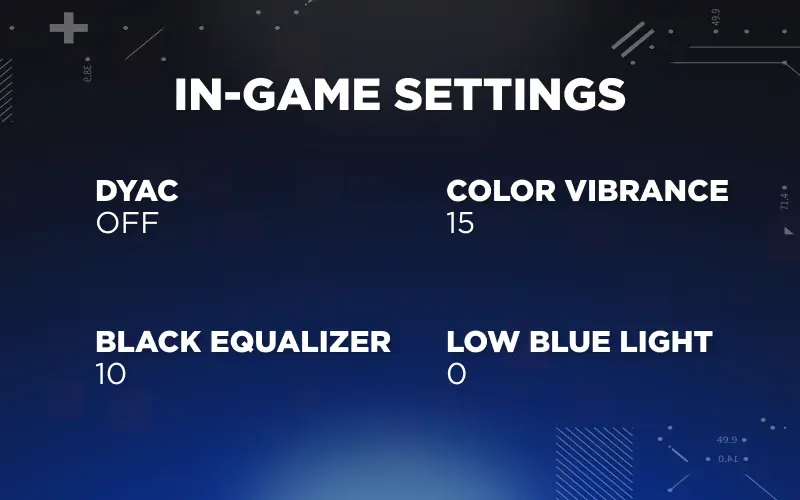
- DyAc: Off
- Color Vibrance: 15
- Black eQualizer: 10
- Low Blue Light: 0
Picture

Many pros tweak these settings to make the game more visually clear and consistent across setups, which dev1ce achieved pretty well. A well-calibrated monitor can give you a real edge in competitive play.
Radar Settings
Although the radar is often by the amateur players, pros know that the radar gives a ton of useful information. Optimizing its settings and knowing how to use it are important, if you want to be more than just an amateur.

Viewmodel
Also, the viewmodel is an important step in perfecting your settings. The regular viewmodel is considered too large and might prevent you from seeing your enemies in some situations, so changing it to a convenient one is also vital.
- “viewmodel_fov 68”
- “viewmodel_offset_x 2.5”
- “viewmodel_offset_y 0”
- “viewmodel_offset_z -1.5”
- “viewmodel_presetpos 2”
Dev1ce’s Loadout
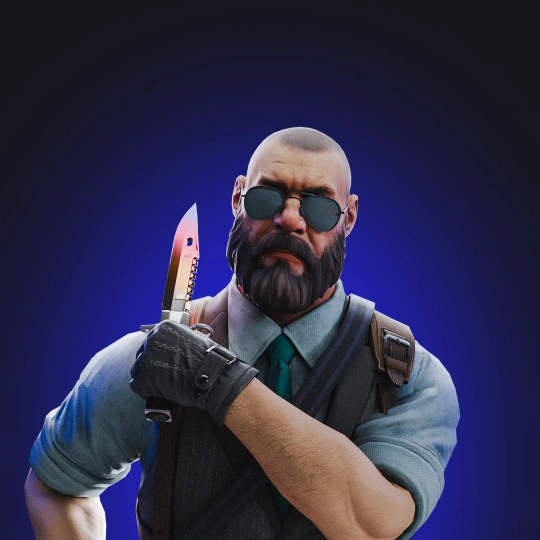
In one of his videos, dev1ce shows off some of his favorite skins. This image does not reflect his whole inventory, but reflects dev1ce’s preference for elite and prestigious skins.

Final Thoughts
Dev1ce's setup isn't flashy – and that's exactly the point. Low sensitivity, clean resolution, a minimal crosshair, and video settings tuned for visibility over eye candy. Every choice serves one goal: spot the enemy first, hit the shot, win the duel.
But copying his config line-for-line won't make you an AWP god overnight. Use this guide as a starting point, not a finish line – plug in his numbers, then tweak until your crosshair placement feels natural and your flicks land where you expect them to.
Gear up, dial in your settings, and get back on the server. The rest is reps.