


How to Fix Net Jitter in CS2? Quick Fixes
Ever felt like you peeked first, landed your shots, and still somehow got a headshot yourself? You stare at the screen, wondering how your opponent even had time to react. Or maybe you get so tilted that you end up breaking your keyboard and desk, which is certainly one way to deal with it.
Few things are more frustrating than having a seemingly stable ping while enemies teleport across your screen, your movement feels delayed, and every gunfight seems a little off. One possible reason is net jitter, a network issue that causes data packets to arrive at inconsistent times, even when your average ping looks perfectly fine.
The good news is that you can often reduce CS2 net jitter with a few simple changes. We can't promise the same for your keyboard, though. So, let's look at how to fix net jitter in CS2 without messing around with complicated console commands.
What is Net Jitter In CS2?
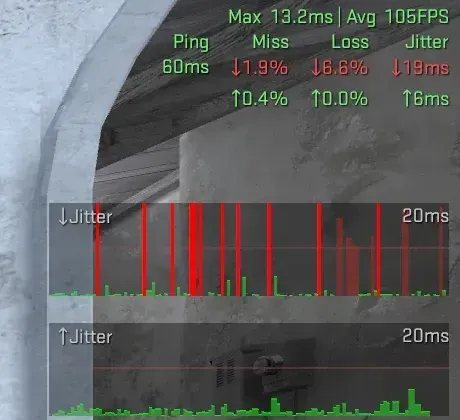
Before we begin, let us explain what net jitter is very simply. It happens when the time it takes for data to travel between your computer and the game server keeps changing. In short, instead of arriving at regular intervals, some packets arrive late, which can cause stuttering movement or inconsistent gameplay, mostly resulting in you dying on mid when playing against an AWP on Mirage.
In other words, ping measures how long the data takes to travel to the server and back, while the net jitter tracks how much that timing varies. So that is why you can have low ping and still experience jitter, meaning that having low ping does not always mean you have a stable connection. You can also read more about this in Valve’s Telemetry Guide.
How To Fix Net Jitter In CS2
Having a problem with net jitter in CS2 can be really frustrating. But fortunately, we have 4 working methods that can help reduce it. Here's what you can do:
Enable The Telemetry HUD
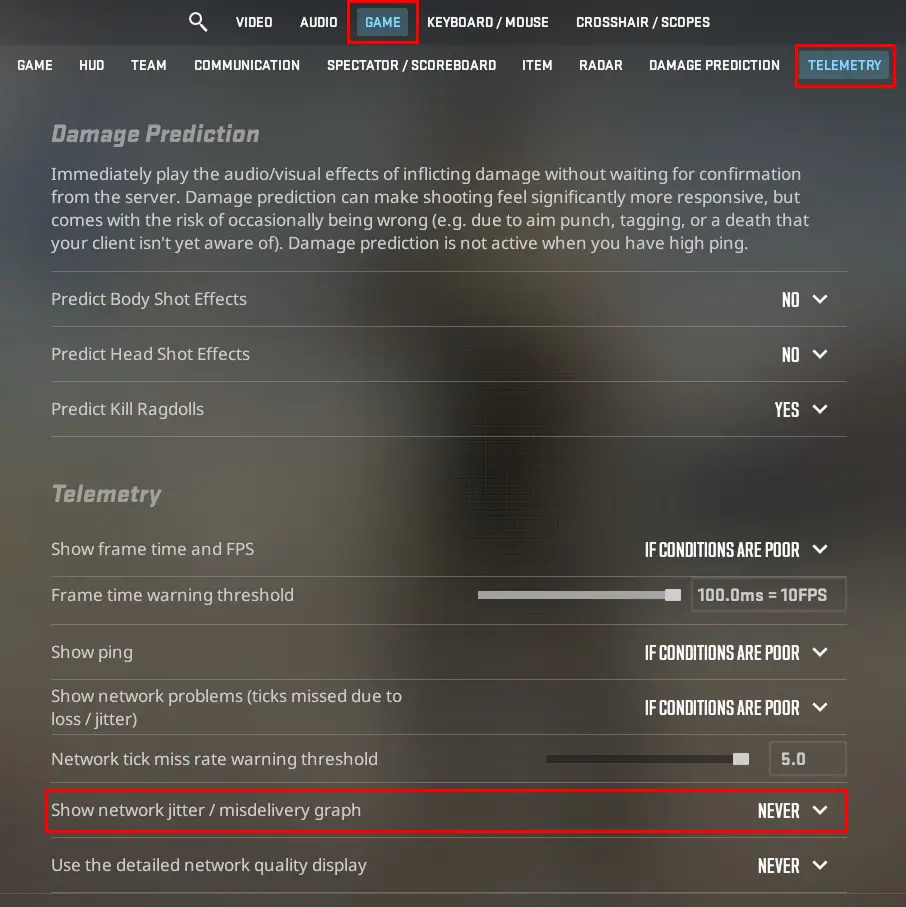
Before changing anything, check whether your connection is the actual problem; if it is not, we can proceed.
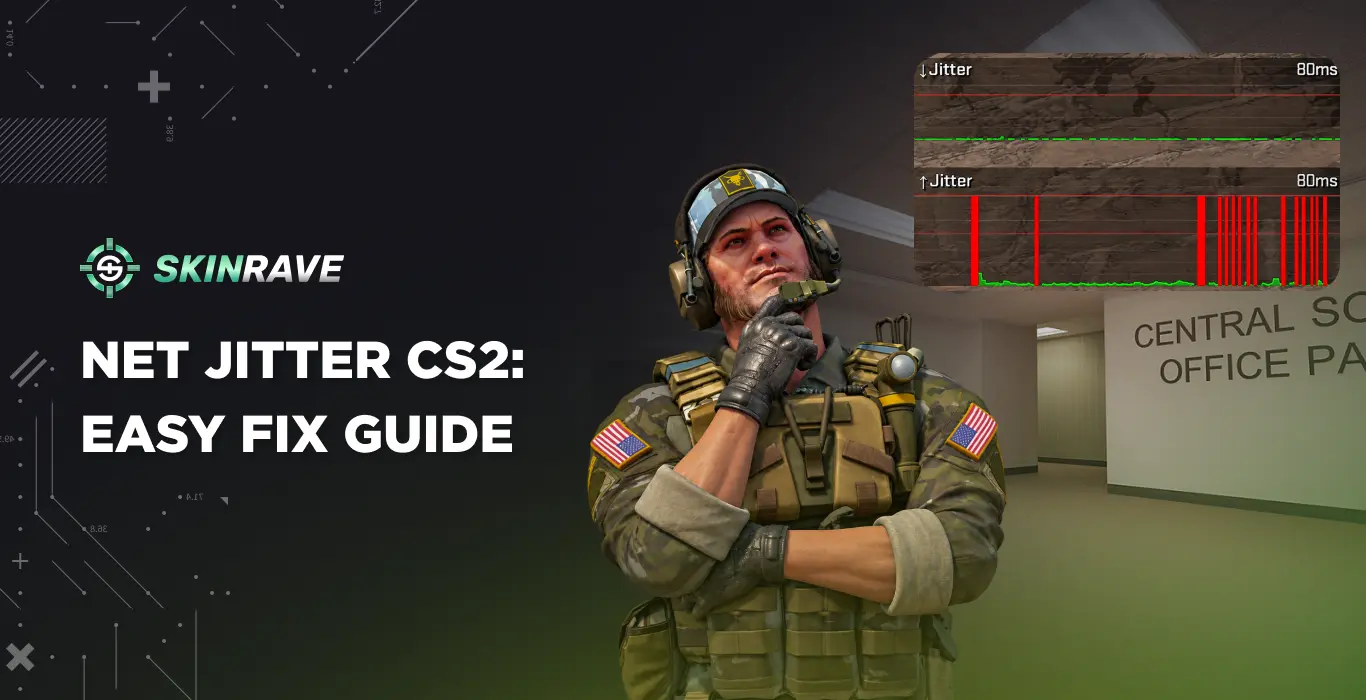
Open “Settings”, go to “Game” and then “Telemetry”. You have to enable the "Show network jitter" indicator. Additionally, you can display the detailed network information or jitter graph to see packet loss and network timing problems during a match.
From the telemetry, you can track how your network performance is doing, but if it remains stable while your game stutters, the issue could potentially be related to FPS drops or your computer’s performance.
Adjust the Packet Buffering Setting
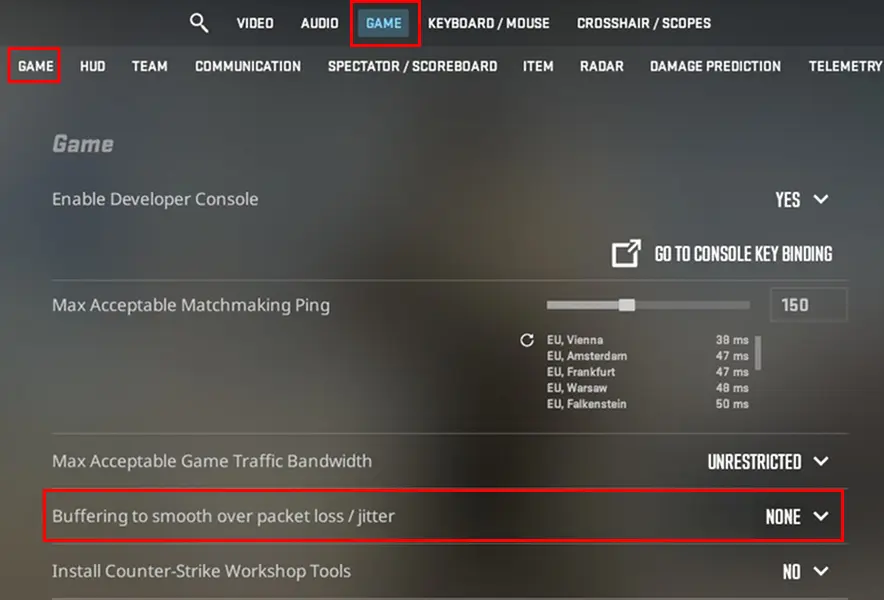
CS2 has a built-in setting that can help smooth out inconsistent network delivery.
Go to “Settings”, then “Game”, and then find “Buffering to smooth over packet loss/jitter”, and set it to One Tick. If you still experience issues and notice any jitter spikes, test Two Ticks and compare both in an actual game.
This setting gives delayed packets more time to arrive, which in some ways helps to reduce the impact of jitter and packet loss. Something important to mention here is that this trade-off is additional latency, so you should use the lowest buffering level that makes your gameplay smoother.
Use an Ethernet Cable
If you are playing on Wi-Fi, your connection could be weaker and prone to jitter. Switching to an Ethernet connection is one of the simplest ways to improve it.
Wi-Fi can suffer from interference, weak signals, and congestion from other devices. On the other hand, Ethernet is a direct connection from the router to the PC, and avoids all wireless problems. It is simply better, particularly if you are aiming for 0 ping.
That said, if you can’t use a cable, try moving closer to your router and reducing interference from other devices.
Check Your Matchmaking Ping Limit
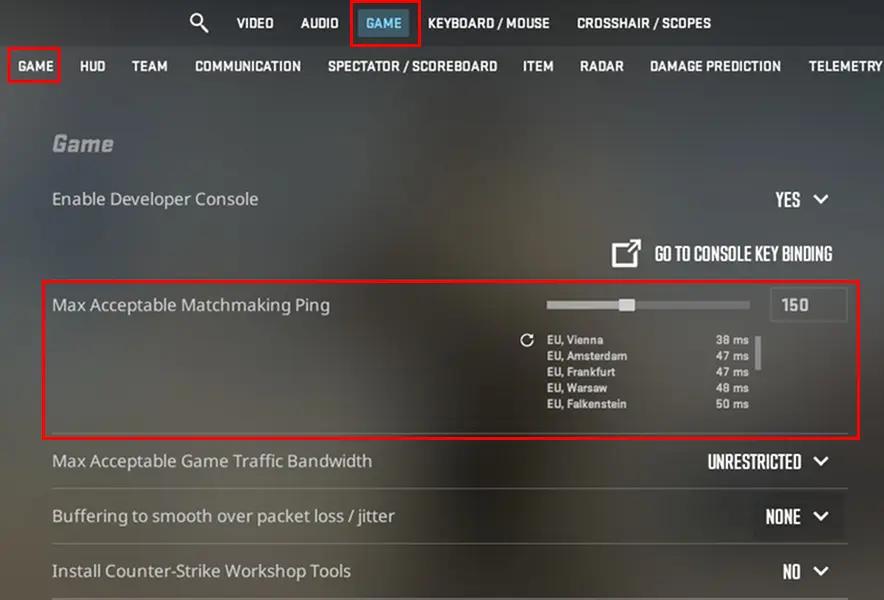
CS2 lets you limit the maximum acceptable ping when finding a match; this could not fix it entirely, but it could still help with packet loss.
Open “Settings”, go to “Game,” and then you will see “Max Acceptable Matchmaking Ping”. Then you should lower the limit if you regularly get matched with distant servers, for example, being in Germany and getting a server in Asia or Eastern Europe.
If jitter happens only on particular servers or during certain matches, test another match later on a different server. The cause could be the network route between your internet provider and the server, rather than your PC.
Can You Get Rid of Net Jitter in CS2?
Here is the thing: it is impossible to have absolutely 0 net jitter. This guide shows you different ways you could reduce it, but you cannot completely remove it. If the issue comes from your Wi-Fi, router, or other settings, the steps above may help considerably.
The best approach is to diagnose the problem first, adjust buffering carefully, and then test one change at a time. That way, you can find what actually helps instead of changing every setting and hoping for the best.
FAQs
Why do I have net jitter in CS2 despite having low ping?
Low ping doesn't guarantee a stable connection. Wi-Fi interference, network congestion, router issues, or problems with your internet provider can cause packets to arrive inconsistently.
Is net jitter the same as packet loss in CS2?
No. Jitter means packets arrive at inconsistent times, while packet loss means some packets never reach their destination. Both can cause stuttering and inconsistent gameplay.
Can a VPN fix net jitter in CS2?
A VPN may improve your connection if your internet provider uses a poor route to the game server, but it can also increase latency. Test it against your normal connection to see whether it helps.