ZywOo's CS2 Settings
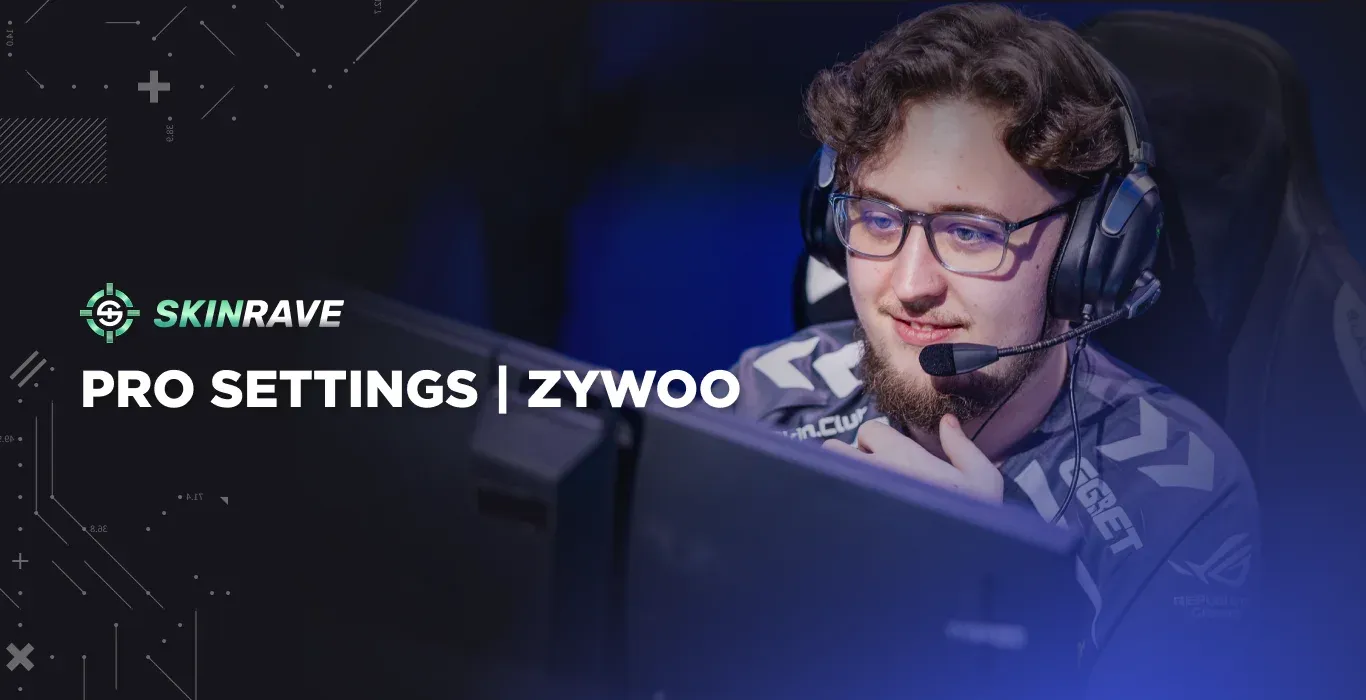
When it comes to the professional Counter-Strike 2 scene, few players have reached the level and consistency that ZywOo has shown. Known for his incredible aim, sharp positioning, and great team play, he became one of the most recognizable names in the competitive scene.
But what settings does ZywOo actually use to perform at such a high level?
From his mouse settings and DPI to his crosshair, viewmodel, and video settings, we are going to cover every detail that can influence how the game feels. In this guide, we will break down ZywOo’s current CS2 settings and show you how to recreate his setup in your own game.
Who is ZywOo?
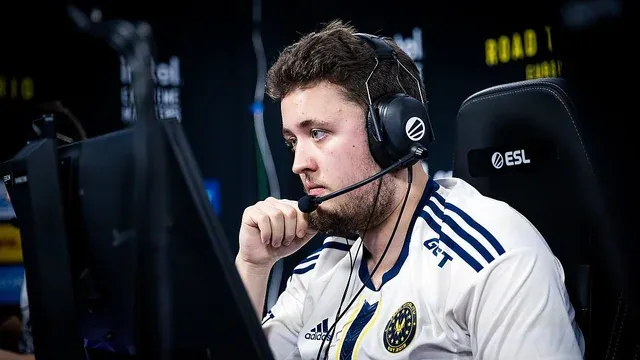
Mathieu “ZywOo” Herbaut is a 25-year-old French professional CS2 player, currently playing as an AWPer for Team Vitality. On November 9, 2000, two legends were born: Mathieu Herbaut and Counter-Strike 1.0.
ZywOo broke into the professional CS2 scene back in 2016, when he played for nevermind. Later, he switched teams several times and, in late October 2018, joined Team Vitality, where it all started.
He is widely regarded as one of the most prominent CS2 players, who claimed HLTV’s Player of the Year title in 2019, 2020, 2023, and 2025. With 33 MVP awards and three Major championship titles (Paris 2023, Austin 2025, and Budapest 2025), ZywOo has shown the world his talent and established himself as one of the most accomplished players in Counter-Strike history.
ZywOo’s Hardware and Equipment
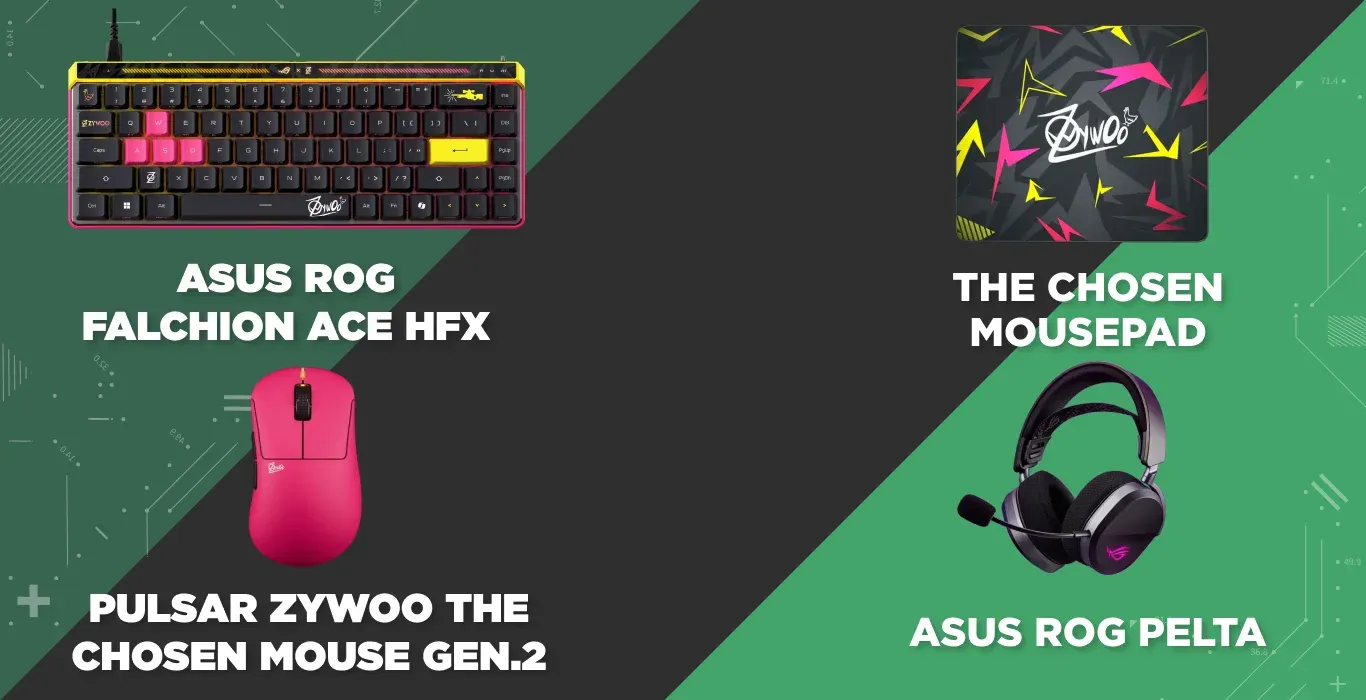
- Keyboard - ASUS ROG Falchion Ace HFX
- Headset - HyperX Cloud III Wireless Black
- Mousepad - The Chosen Mousepad
- Mouse - Pulsar ZywOo The Chosen Mouse Black
ZywOo plays on a high-end gaming setup, featuring top-tier peripherals and powerful hardware tailored for elite-level performance.
Every piece of his gear, from his monitor and mouse to his PC components, is chosen to ensure maximum precision, low latency, and consistency during intense competitive play.
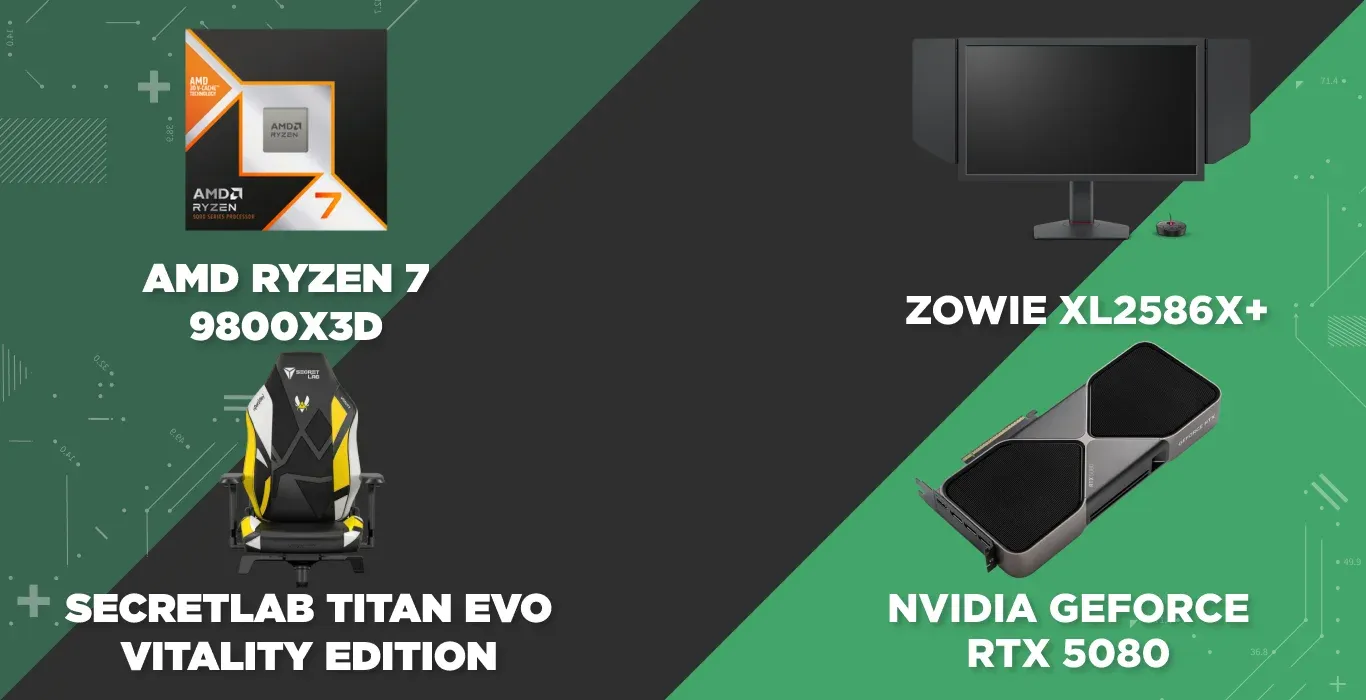
- CPU - Intel Core i9-11900K
- Monitor - ZOWIE XL2546K
- Gaming Chair - Secretlab Titan Evo Vitality Edition
- GPU - NVIDIA GeForce RTX 3080
In Game Settings
His settings are built around his consistency rather than flash. His settings have not changed since CS:GO, and this is a sign of how ZywOo deliberately tunes his config (cfg). ZywOo appeared in a video where he shared his CS2 settings, offering insight into the configuration behind his elite-level performance.
Mouse Settings
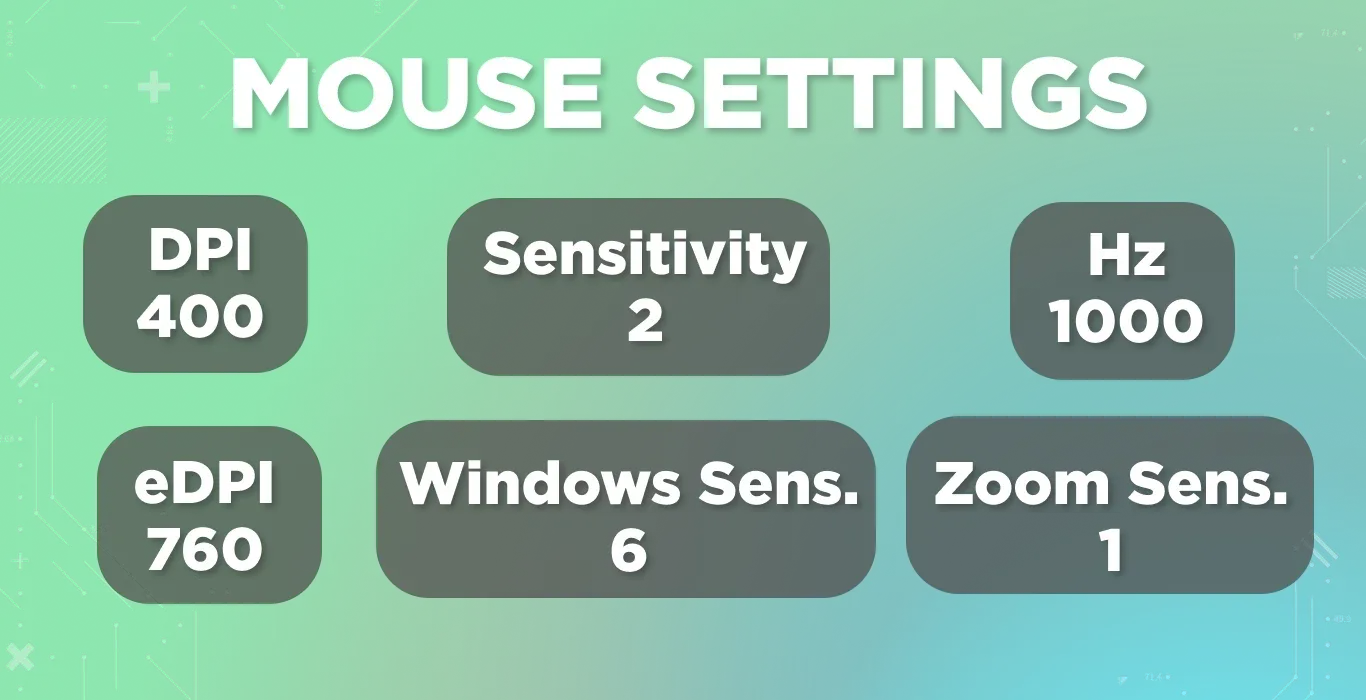
ZywOo uses a low-sensitivity setup with 400 DPI and an in-game sensitivity of 2.00, resulting in an effective DPI (eDPI 760-800). This gives him precise control over crosshair placement, which is especially important for his deadly accuracy with the AWP.
His zoom sensitivity is also set to 2.00, allowing for faster scoped adjustments during quick flicks and peeks. Combined with a 1000 Hz polling rate, his mouse delivers ultra-responsive input with minimal latency.
Additional Commands
- bind "MWHEELUP" "invprev"
- bind "MWHEELDOWN" "invnext"
Additional Binds for the Keyboard
On the keyboard side, ZywOo keeps everything close to default. Several forum threads discuss the fact that ZywOo runs a 1.2mm actuation point with a standard 0.2mm rapid trigger, rather than heavily customized binds.
That’s why it is easy, simple, and reliable to reproduce ZywOo’s keyboard settings.
Launch Options
-novid -tickrate 128 -allow_third_party_software
In this launch option command -novid skips the intro video, -tickrate 128 matches his practice server tick rate, and -allow_third_party_software allows him to run recording tools without conflicts.
Crosshair
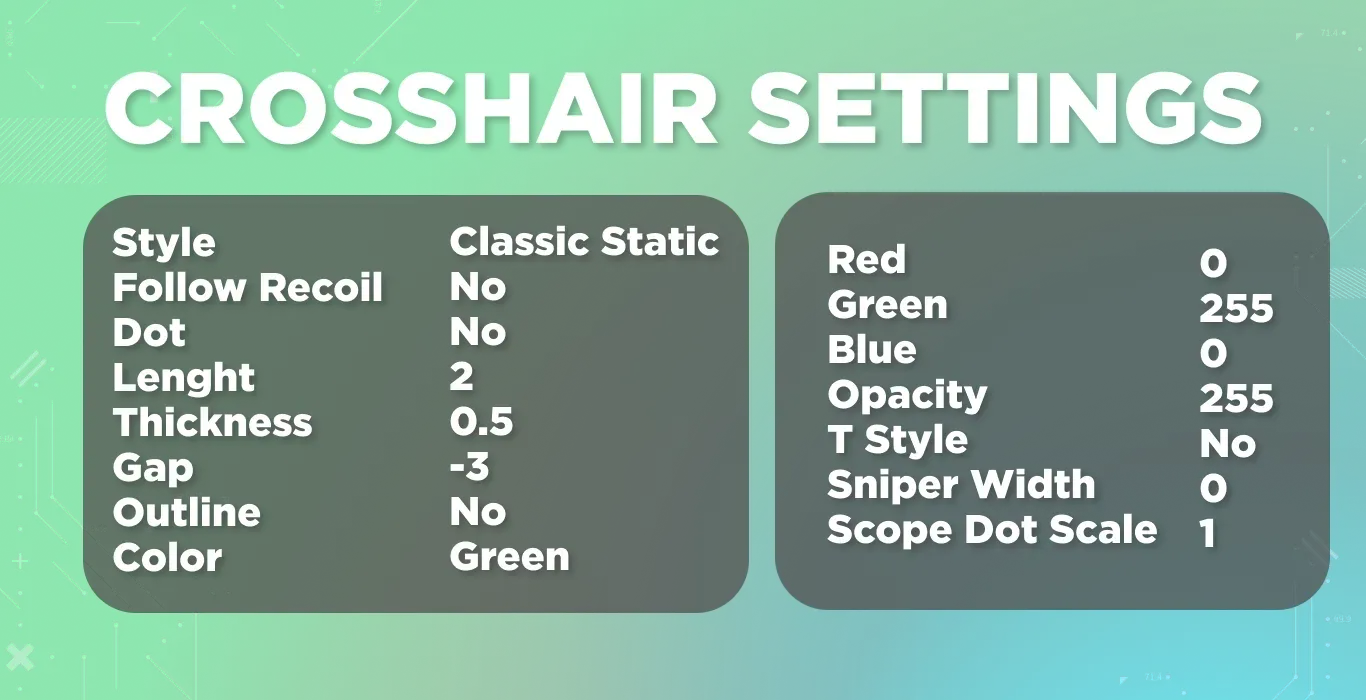
- Crosshair Code: CSGO-fm7wQ-TMZut-aLZWr-2CLS8-Jws7C
ZywOo’s crosshair is a small, static “Classic Static” style - with no dot, no outline, but a tight gap. It is designed to stay visible even when he is in close-range duels.
Colored in a custom shade (RGB: 0, 255, 0), ZywOo’s crosshair stands out clearly on most maps without being visually distracting. This configuration is ideal for rifling and AWPing, offering consistent visibility and pixel-perfect precision.
Viewmodel Settings
Similar to other pro players, ZywOo's settings for Viewmodel are standard:
Copy Paste Viewmodel Settings
viewmodel_fov 68; viewmodel_offset_x 2.5; viewmodel_offset_y 0; viewmodel_offset_z -1.5; viewmodel_presetpos 1;
This Viewmodel keeps his weapon model out of direct line of sight without pulling it too far off the screen.
Video Settings
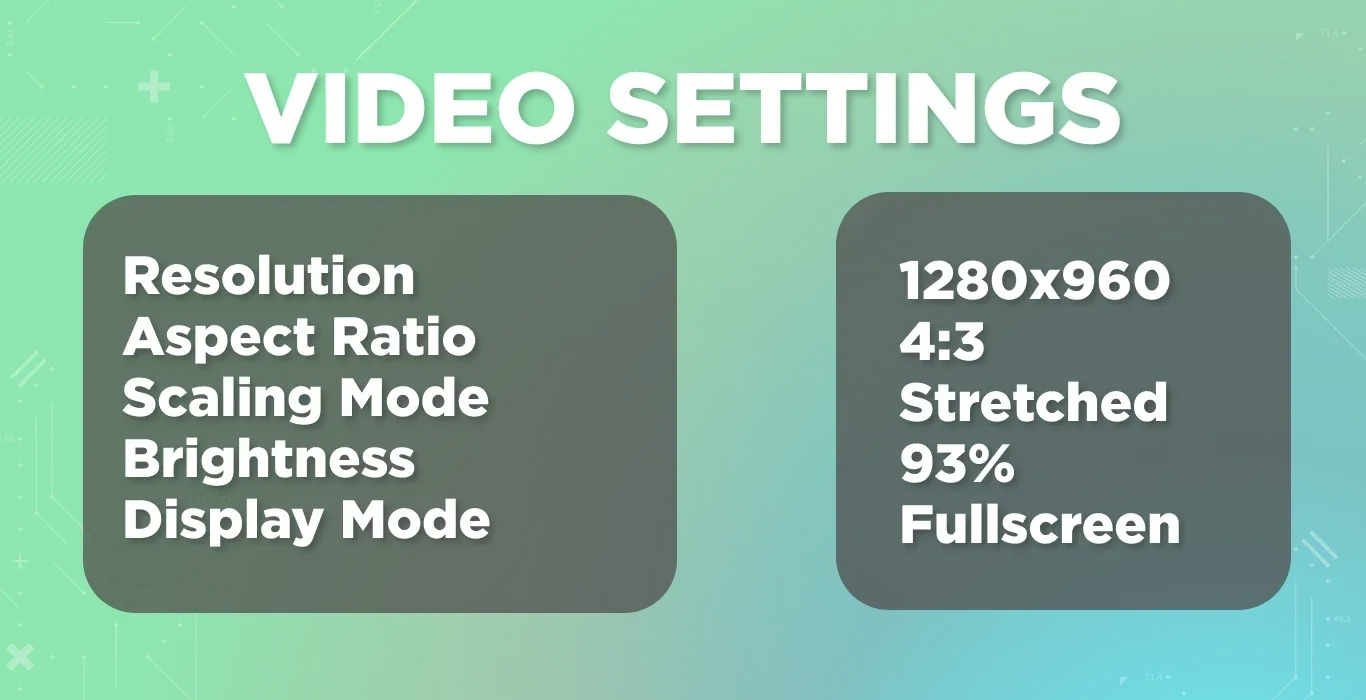
Like most top-tier pros, ZywOo prioritizes visibility and frame rate. With a 4:3 stretched resolution of 1280x960 in fullscreen mode, he enlarges enemies a little bit, a common trick among OG pros from the CS:GO days.
Advanced Video
ZywOo’s CS2 Advanced Video Settings lean more towards clarity rather than flashy designs:
Radar
Radar settings are optimized for awareness, with player-centered, rotating radar, shape toggle enabled, and a radar 0.7 zoom.
- Radar Centers The Player Yes
- Radar is Rotating Yes
- Toggle Shape With Scoreboard Yes
- Radar Hud Size 1
- Radar Map Zoom 0.7
ZywOo’s Loadout
Beyond hardware settings, ZywOo’s in-game loadout has featured some of the rare picks like Karambit | Doppler Sapphire. Sport Gloves | Ultra Violent and various AWP and rifle finishes.
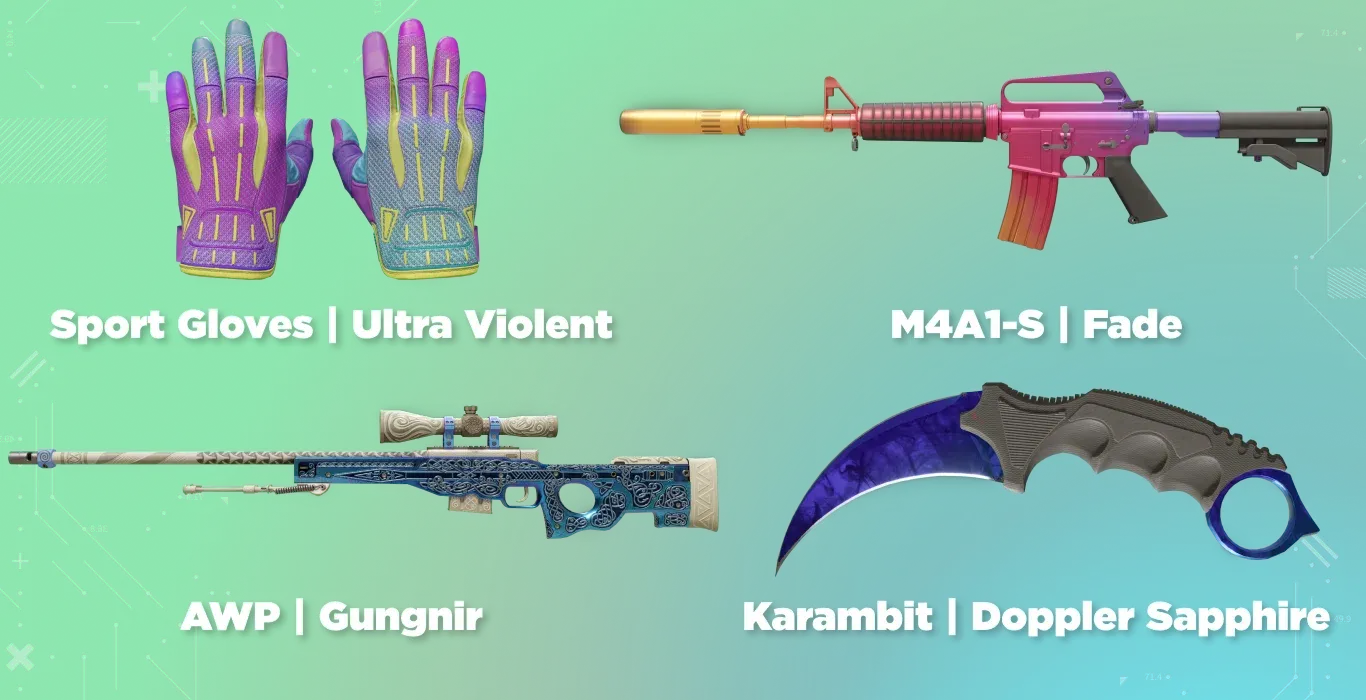
- Sports Gloves | Ultra Violent
- M4A1-S | Fade
- Karambit | Doppler (Sapphire)
- AWP | Gungnir
FAQs
What is ZywOo's CS2 crosshair code?
ZywOo's CS2 crosshair code is CSGO-fm7wQ-TMZut-aLZWr-2CLS8-Jws7C. You can directly apply this code through the Crosshair settings menu in CS2.
What are the ZywOo's config setting for CS2?
Mathieu “ZywOo” Herbaut, Team Vitality's AWPer, uses a mouse setup with 400 DPI and 2.00 in-game sensitivity, alongside a classic 4:3 stretched resolution of 1280x960. His CS2 config focuses on precise aim, clear visibility, and consistent performance during competitive matches.
Can ZywOo's CS2 settings improve your aim?
Using ZywOo's settings can help you experiment with a professional configuration, but they won't automatically improve your aim. Finding a comfortable sensitivity, practicing crosshair placement, and developing consistent mouse control are equally important.